On the Admin sidebar, go to Stores > Settings > Configuration.
Under General in the left panel, choose Web.
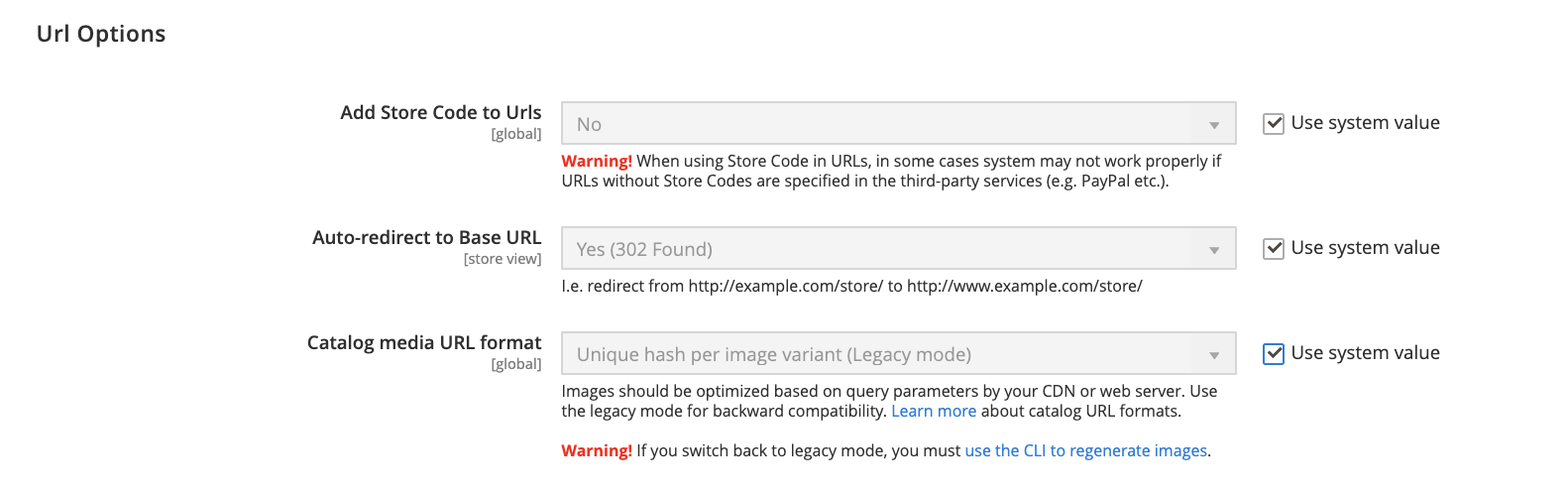
Expand the URL Options section.
Set Add Store Code to your preference:
URL with Store Code: http://www.yourdomain.com/magento/[store-code]/index.php/url-identifier
http://www.yourdomain.com/magento/[store-code]/index.php/url-identifier
URL without Store Code: http://www.yourdomain.com/magento/index.php/url-identifier
http://www.yourdomain.com/magento/index.php/url-identifier
arrow-up-rightURL Optionsarrow-up-right
When complete, click Save Config.
Click the Cache Management link in the message at the top of the workspace. Then, follow the instructions to refresh the cache.
Last updated 3 years ago

 the URL Options section.
 the URL Options section.